


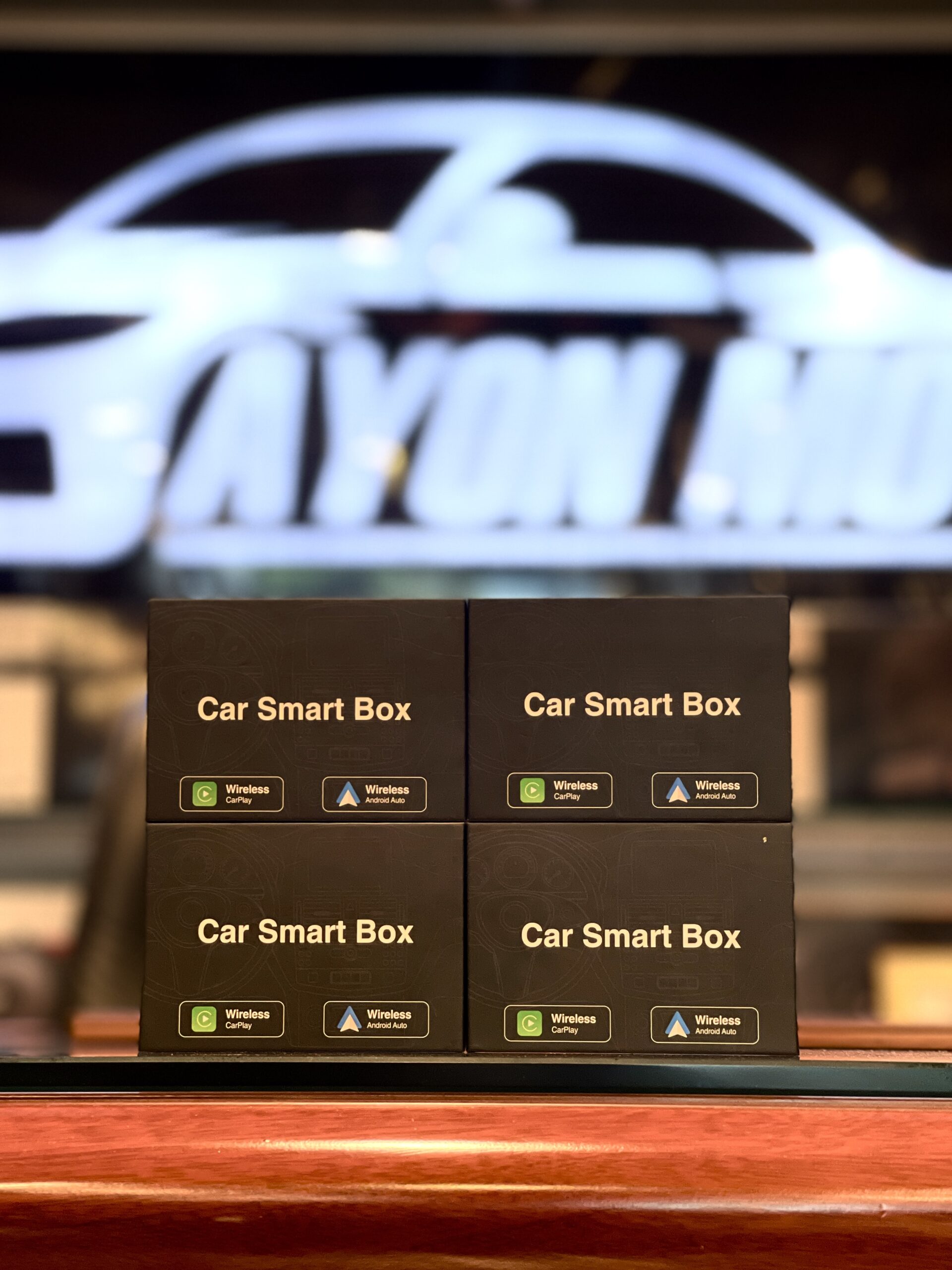


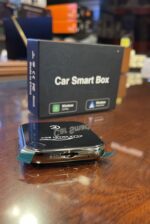

Wireless CarPlay & Android Auto AI Box 2GB+32GB (Android 13 Allwinner A133) with Plug & Play 5G Wi-Fi Multimedia Adapter for OEM Head Units
Price range: 6,999.00৳ through 8,500.00৳
Ditch the cable clutter and set your drive free! 🚘✨
Upgrade your factory screen with the Car Smart Box and enjoy seamless Wireless Apple CarPlay & Wireless Android Auto instantly.
🔥 Why you’ll love this upgrade:
⚡ 100% Plug & Play: Zero installation hassle—no dashboard cutting or wire splicing required.
🎶 Automatic Connection: Connects wirelessly
💾 SD Card Support
🏎️ Sleek & Compact Desing
⚠️ Compatibility Note: Specially designed for 2020+ vehicles equipped with factory/OEM built-in wired CarPlay.
Give your car the smart upgrade it deserves!
📍 Ayon Motors
Description

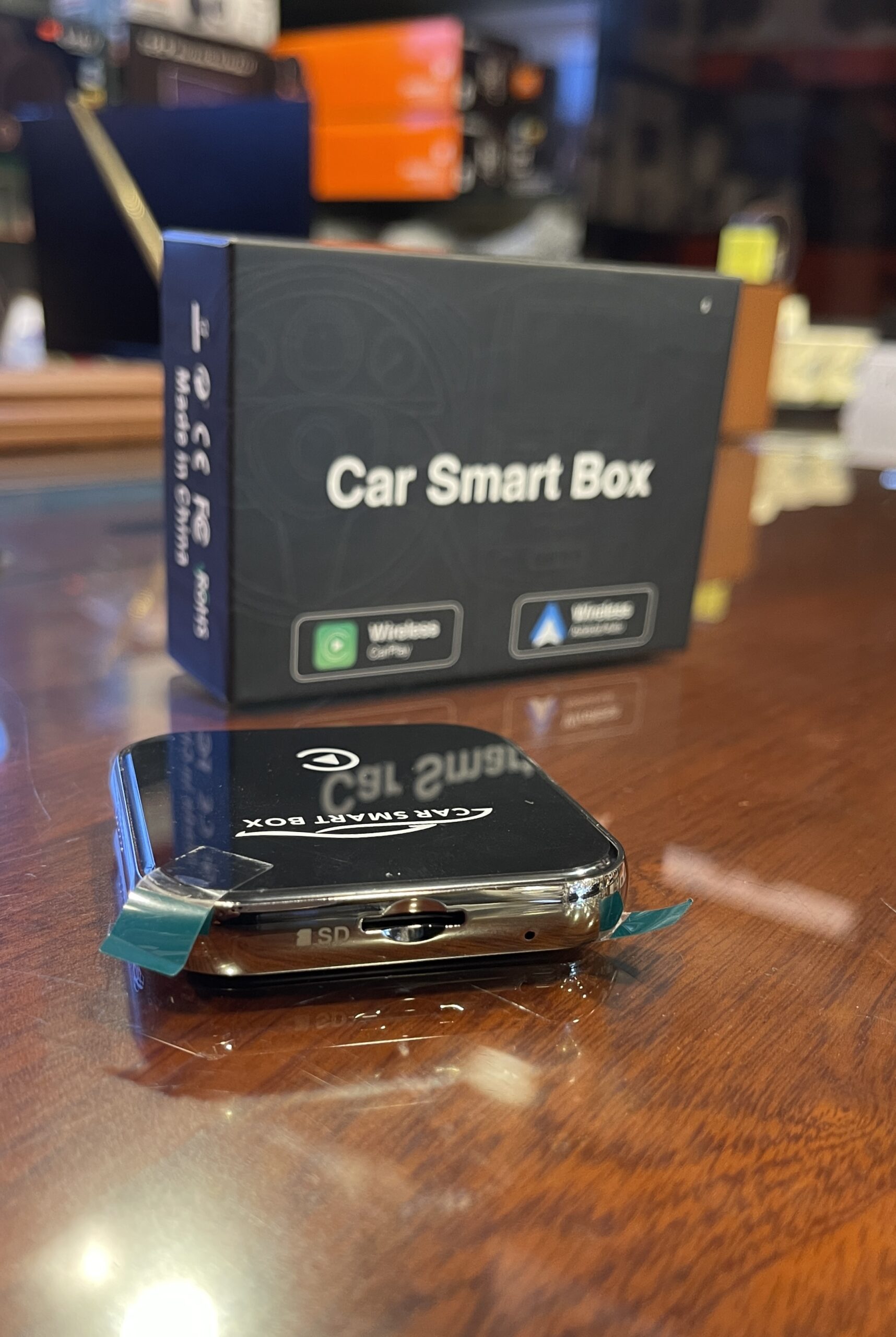
The Car Smart Box is a sleek, compact Plug & Play multimedia adapter designed to convert your vehicle’s factory wired CarPlay system into a completely wireless setup. Supporting both Wireless Apple CarPlay and Wireless Android Auto, it also features a built-in SD card slot for direct local audio and video playback without modifying factory wiring.
WIRELESS CARPLAY & WIRELESS ANDROID AUTO
Eliminate cabin cable clutter permanently. Automatically pairs with your iPhone or Android smartphone via Bluetooth and Wi-Fi every time you start your vehicle for maps, hands-free calls, and music streaming.
PLUG & PLAY FACTORY INTEGRATION
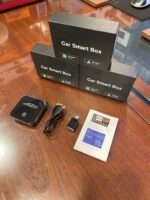
Connects directly into your vehicle’s factory USB or Type-C CarPlay port using the included high-speed cables and Type-C adapter. Requires zero dashboard modification or wire cutting.
BUILT-IN SD CARD SLOT FOR MEDIA PLAYBACK
Features an integrated SD memory card expansion slot, allowing you to load and play offline video and music files directly on your factory screen during long road trips.
ULTRA-COMPACT PREMIUM DESIGN
Designed with a glossy mirror-finish top panel and durable metallic chrome side trim, making it lightweight, discreet, and easy to tuck away neatly inside your center console.
⚠️ IMPORTANT COMPATIBILITY NOTE
This device is designed for vehicles (typically 2020+ models) that come equipped with factory-installed (OEM) built-in wired CarPlay on their original stock head units.
TECHNICAL SPECIFICATION INDEX:
| Feature Category | Detailed Specifications |
| Model Name | Car Smart Box |
| Smartphone Connection | Wireless Apple CarPlay & Wireless Android Auto |
| Storage Expansion | Built-in SD Card Slot for Local Media |
| Installation Method | 100% Plug & Play via USB / Type-C Data Port |
| Included Accessories | USB to Type-C Cable & USB-C Converter Adapter |
| Operating Compatibility | Vehicles (2020+) with Factory-Fitted Wired CarPlay |
🛠️ QUICK INSTALLATION GUIDE
-
Step 1: Turn on your vehicle’s ignition and ensure the original touchscreen display is active.
-
Step 2: Plug the Car Smart Box into your car’s primary CarPlay USB or Type-C port using the provided cable/adapter.
-
Step 3: Turn on Bluetooth and Wi-Fi on your smartphone, search for the device name on screen, and pair.
-
Step 4: Accept the prompt on your phone to use CarPlay or Android Auto wirelessly.
Additional information
| Variants | 2GB / 32GB, 2GB / 64GB |
|---|
Related products



Reviews
There are no reviews yet.